01
Choose your source
Drop in a WAV, MP3, or M4A file. Your audio stays on your computer.
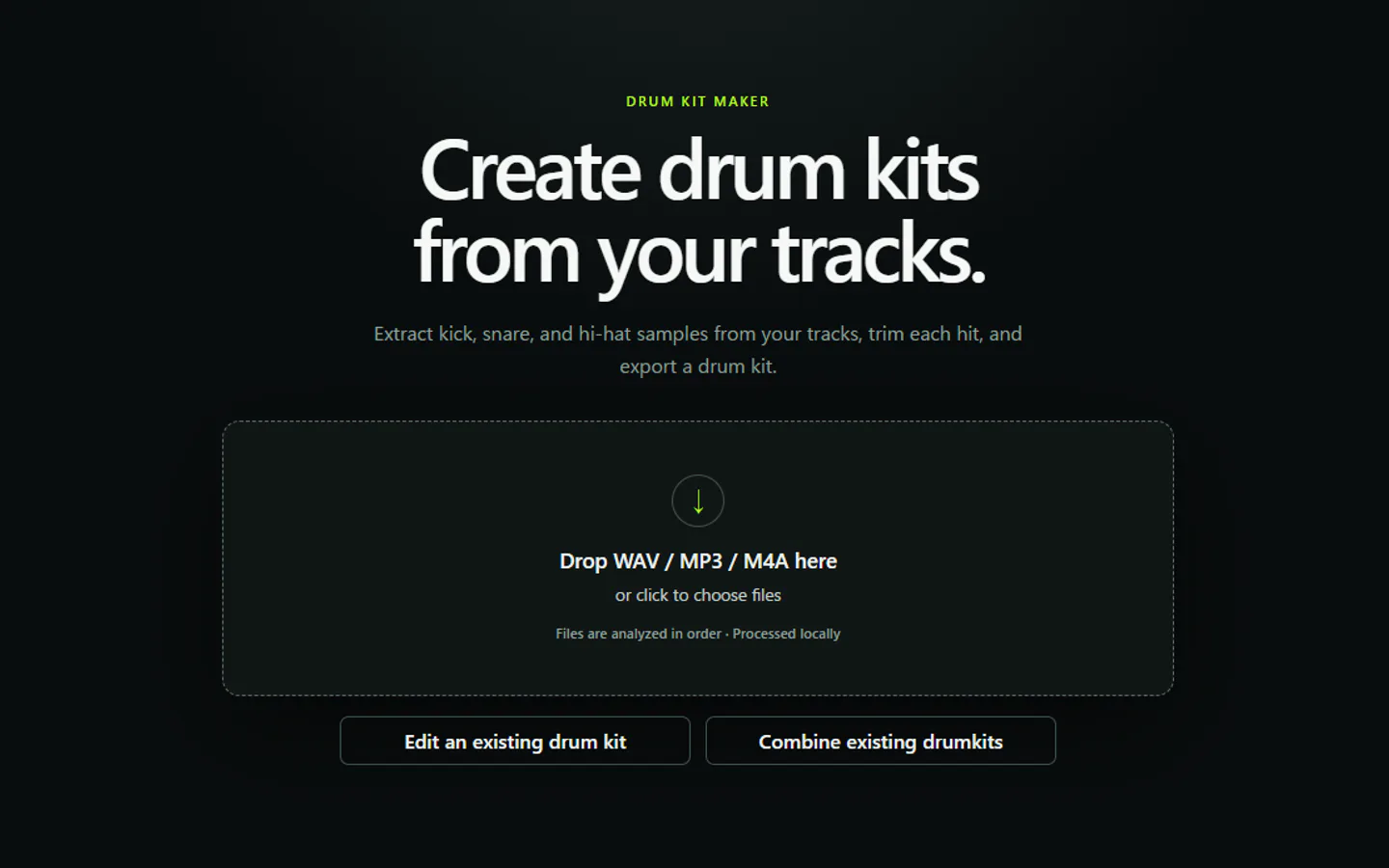
Skip repetitive slicing and folder sorting. Turn songs and loops into kick, snare, and hi-hat one-shots, organized and ready to use.
Regular price$59Current price$39$20 OFF
One-time purchase · Windows and Apple Silicon Mac included
Self-signed Windows installer: SmartScreen may warn.Details
Select and preview detected snares. Results vary by source audio.
01
Drop in a WAV, MP3, or M4A file. Your audio stays on your computer.
02
Isolate the drum component and split detected hits into one-shot candidates.
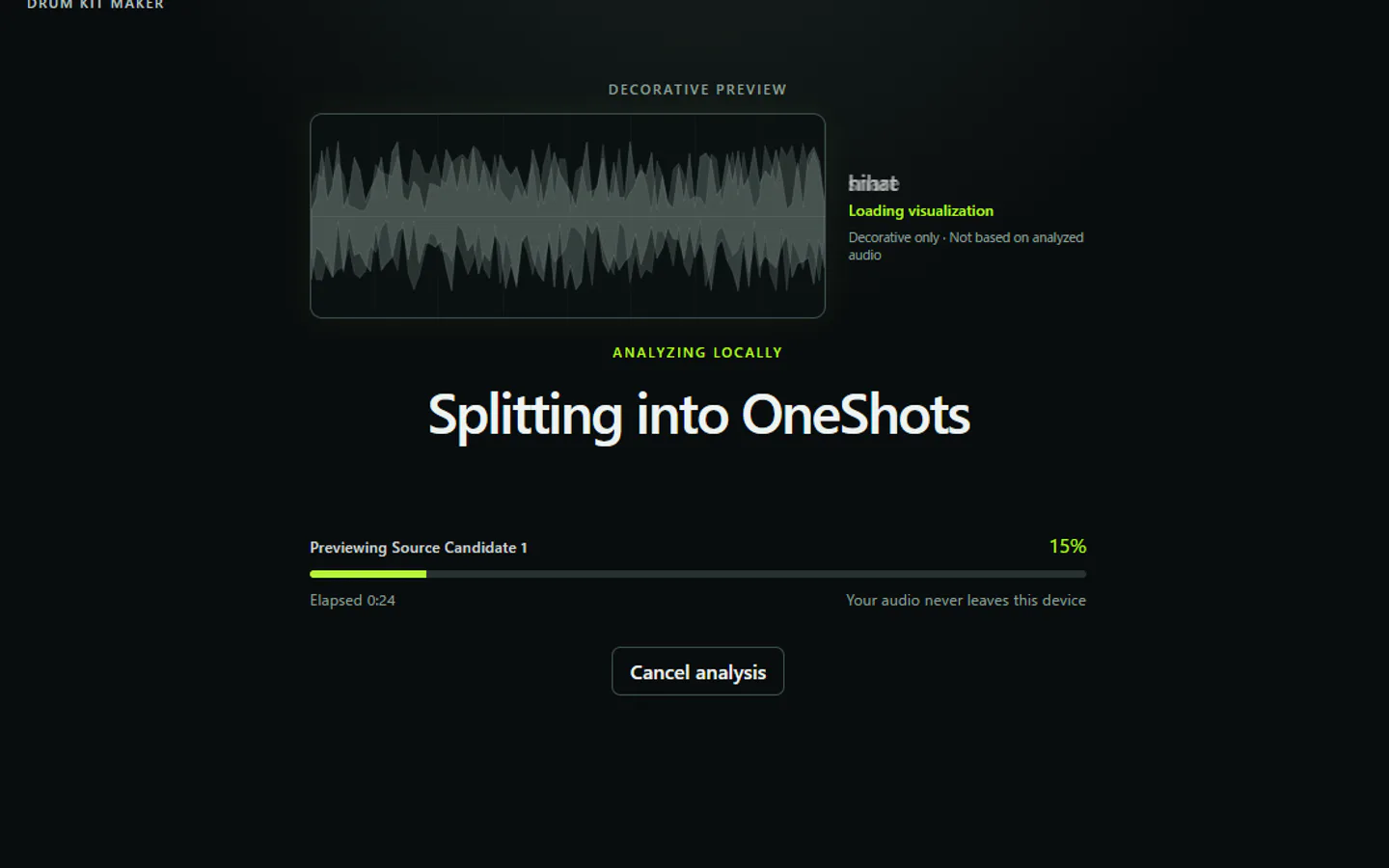
03
Kick, snare, and hi-hat samples are sorted for quick previewing and editing.
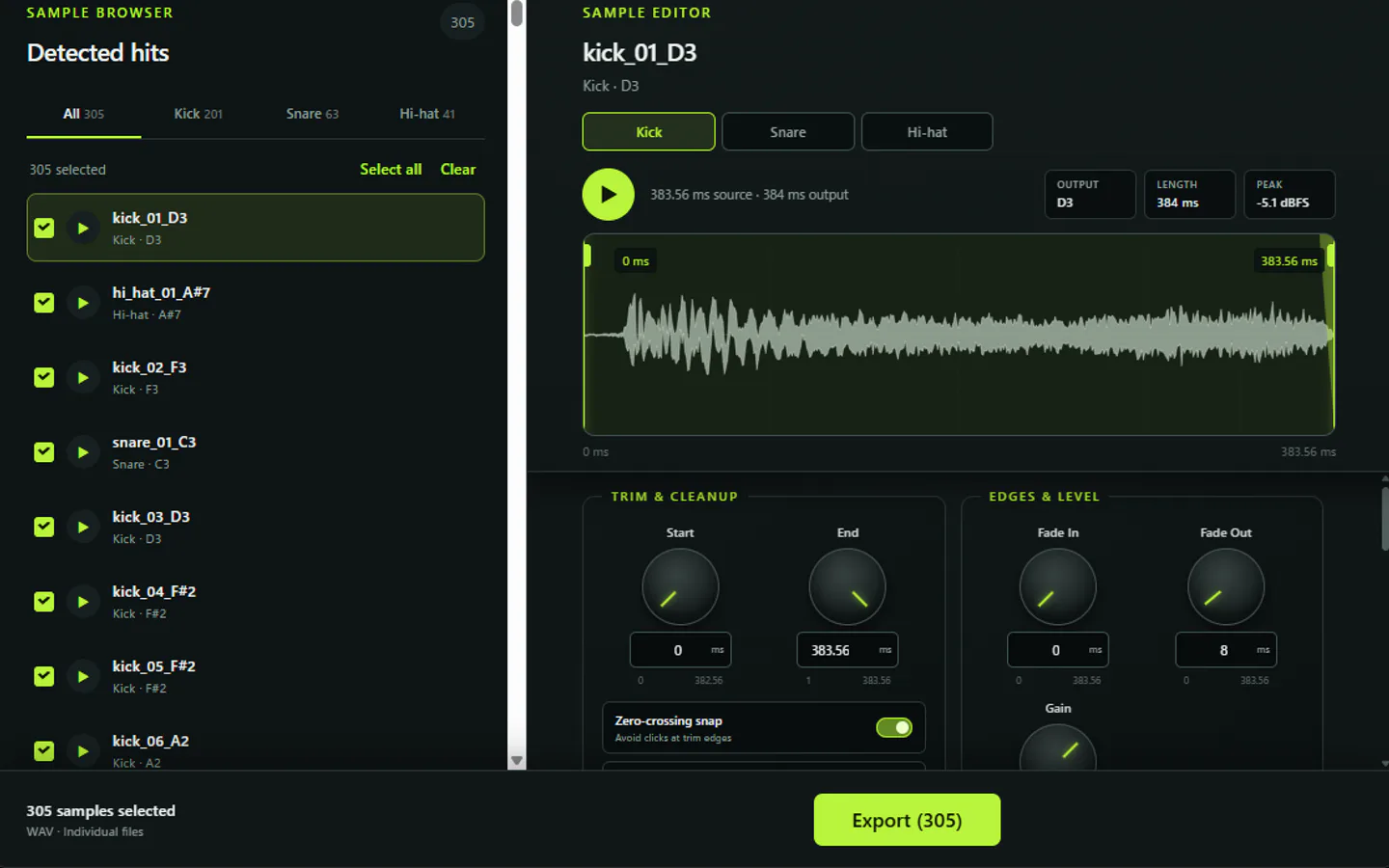
04
Export 24-bit WAV files into kick, snare, and hi_hat folders, ready for your DAW or sampler.
My_Kit/ · kick/ · snare/ · hi_hat/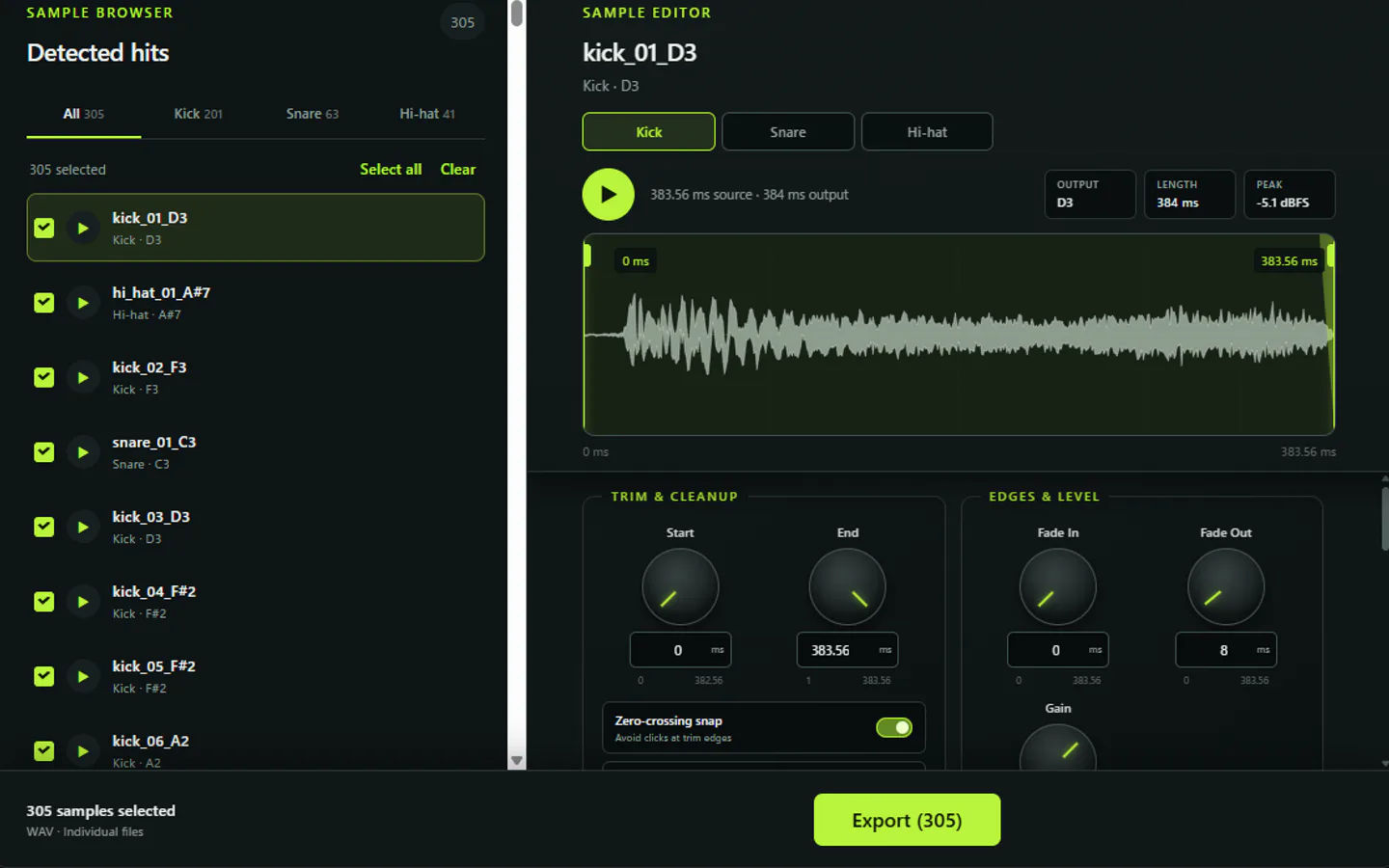
Simple one-time purchase
Standard WAV files work in compatible DAWs and samplers. Use the app on devices you own, with updates and re-downloads through Polar.
Regular price$59Current price$39$20 OFF
One-time purchase · Windows and Apple Silicon Mac included
SHA-256
9e508db6fa5f0bc7e264ead2c78b1972fa1c42b46bb795c5a87adbd1b1b8f2caThe Apple Silicon Mac DMG is available through Polar after purchase. By seller decision, DMG signing, notarization, size and SHA-256 details are not published.
The installer is self-signed by TuneMill Audio. Because it does not use a publicly trusted code-signing certificate, Windows SmartScreen may warn or block execution.
The approved sales label is version 1.0.0; Windows file properties show 1.0.0-rc.2. You can identify the delivered file using the SHA-256 and size shown here.
FAQ
Yes. Drum Kit Maker is designed to isolate a drum stem before detecting individual hits. Separation quality depends on the source mix, so some material may need editing.
It classifies detected hits into kick, snare, and hi-hat folders. Classification is automatic but not guaranteed to be perfect.
It imports WAV, MP3, and M4A and exports 24-bit WAV one-shots into kick, snare, and hi_hat folders.
The exported files are standard WAV files. You can use them in DAWs and samplers that support standard 24-bit WAV audio; check your software’s import documentation when in doubt.
Audio processing runs locally on your Windows PC or Mac. Your audio is not uploaded by the app for processing.
No. Version 1.0.0 includes standalone Windows and Apple Silicon Mac applications. Exported standard WAV files can be loaded into compatible DAWs and samplers.
Clear drum transients and less crowded mixes generally give the system more useful material. Results vary, and no separation or classification system succeeds on every source.
The workflow supports importing, editing, and combining kits so you can review and organize the resulting samples.
Purchasers can access the current Windows installer, Mac DMG, and receipts through the Polar Customer Portal. Future versions are included under the planned one-time-purchase license.
The Windows installer uses a TuneMill Audio self-signed certificate, so SmartScreen may warn or block it. Windows and Apple Silicon Mac downloads are provided through Polar after purchase. Available artifact details are shown on the product page.
Drum Kit Maker 1.0.0
Only process audio you own or have permission to use.
Regular price$59Current price$39$20 OFF
One-time purchase · Windows and Apple Silicon Mac included